Plan your next RTD trip with ease
Using Trip Planner
Trip Planner helps plan trips within the RTD district using various travel modes. Simply enter your origin and destination to get real-time itineraries, detailed trip information, and customized options for departure and arrival times. Save home and work locations for quick trip planning on the go.
Trip Planner offers a seamless way to plan your journeys within the RTD district. With this tool, you can easily plan trips using rail, bus, or FlexRide modes, while receiving real-time itineraries, step-by-step directions, and accurate arrival estimates. Save your home and work locations for quick access, and use advanced options to tailor your travel preferences and make your journey as smooth as possible.
Getting Started
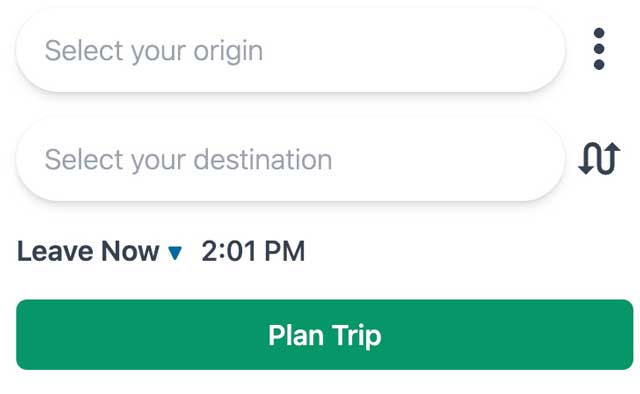
Enter your origin and destination into the search bars and click the Plan Trip button to get started. This plans a trip with a departure time set to the current time, keeps everything within walking distance, and searches for itineraries using all travel modes (rail, bus, flex).
Understanding Itinerary Cards
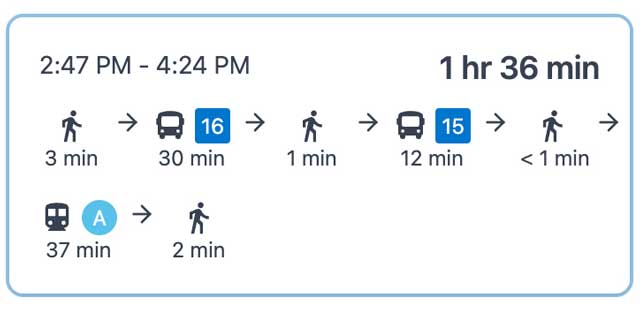
Each card shows the overall estimated trip duration in bold on the right, the start time, and the estimated arrival time at your destination. The bottom of the card uses helpful icons to represent different legs of the trip, such as walking, driving, and public transportation. Color-coded paths on the map represent the modes of transportation or labeled routes you will be taking during the trip.
Full Itinerary Breakdown
Click on an Itinerary Card to see the full itinerary in tabular form, from the origin at the top to the destination at the bottom. Each leg includes the name of the departure place or stop, the estimated start time, duration, and total distance. Expand directions for walking or driving, or view RTD route details, including headsigns and stop IDs.
Managing Transfers
If a transfer on your trip could potentially be missed, an indicator warns you of a quick transfer. Keep this in mind when planning your trip to avoid missed connections. Use the Next Trip and Previous Trip buttons to view information for future or past trips that match your itinerary, and click the back arrow to see alternative itineraries.
Customizing Trip Timing
Adjust the timing of your trip with Leave Now, Depart At, and Arrive By options. Planning further ahead relies more on scheduled data rather than real-time data, so it is best to use the planner closer to your desired travel time for the most accurate information.
Saving Home and Work
Save your home and work locations using the search bar for quick trip planning with the home page widget.
Additional Features
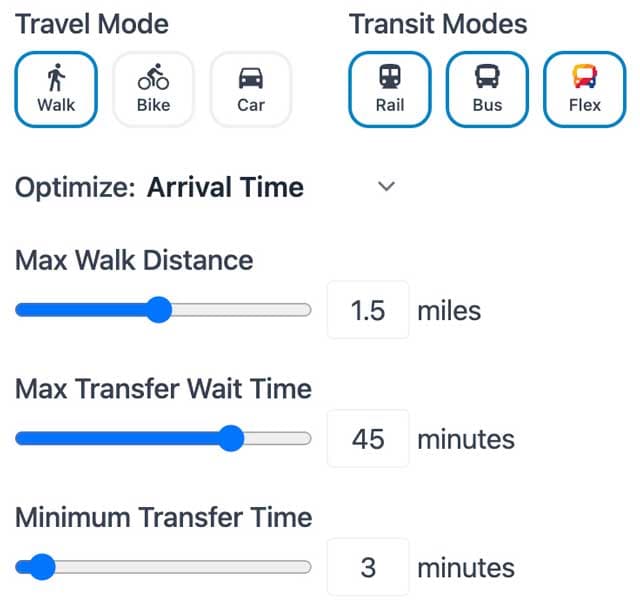
Swap the origin and destination with the curved arrows button, and access Advanced Options, Refresh Results, and Open Tutorial in the expanded menu. Adjust travel modes and trip optimization, set maximum walking and wait times, and refresh results for the latest itinerary.